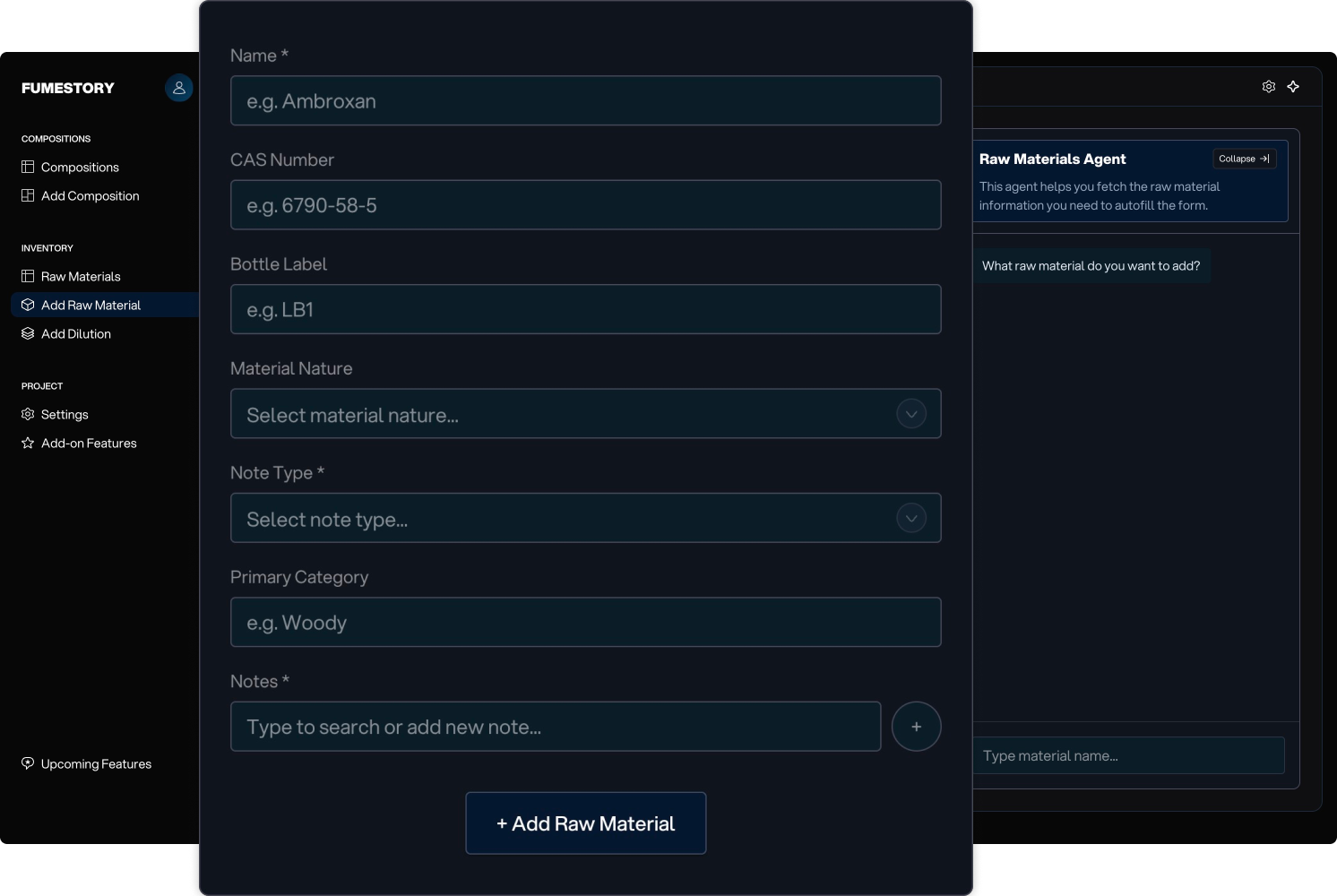
Add Raw Material
Keep your inventory organized by adding raw materials. After adding a raw material, you can create and manage its dilutions.
Here you can explore all features included in Fumestory.
It starts with minimal setup, but offers deep customization to support different workflows.
Keep your inventory organized by adding raw materials. After adding a raw material, you can create and manage its dilutions.
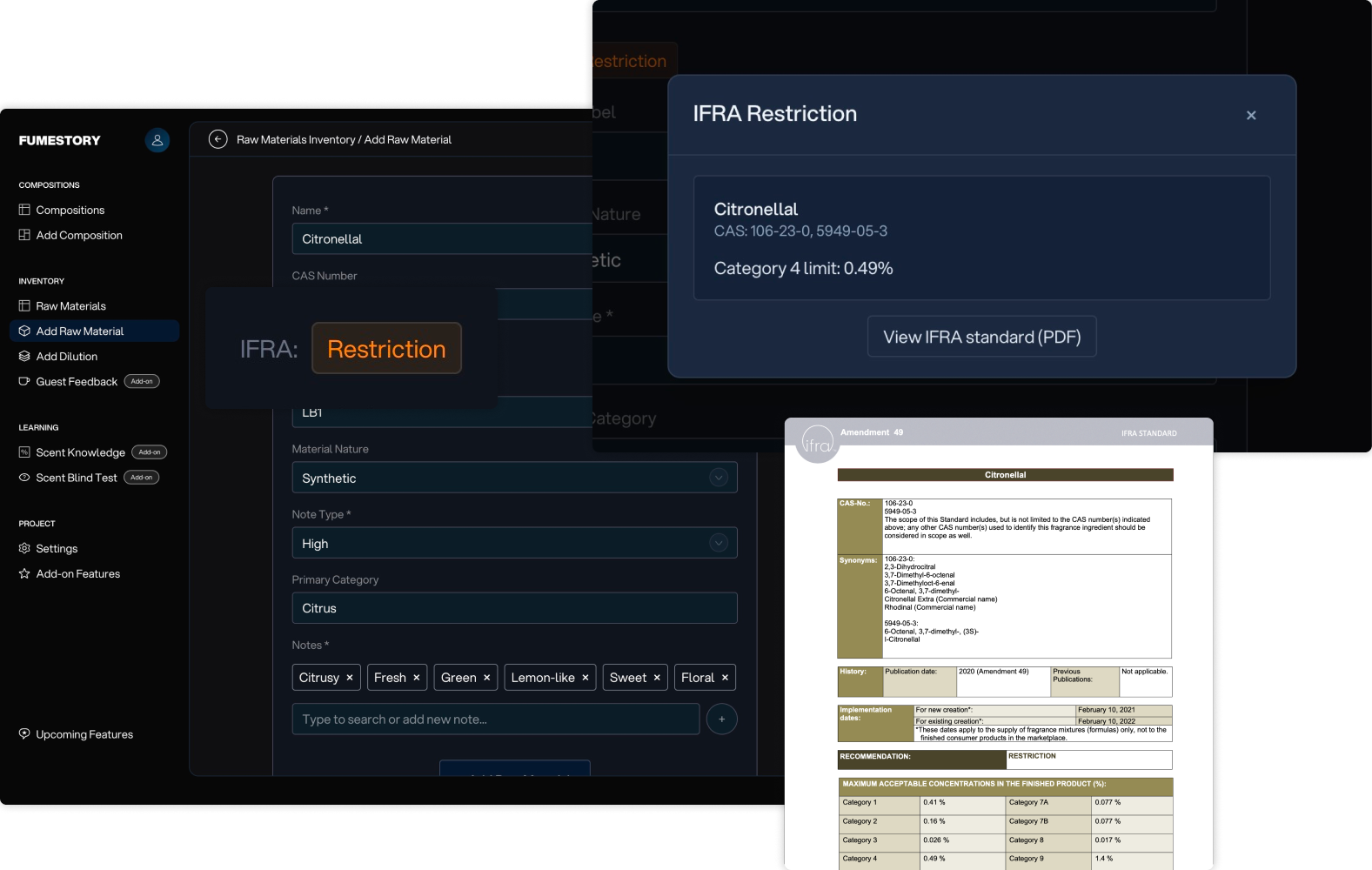
Get IFRA Standard Category 4 warnings including prohibition, restriction, or specification details when adding a material name or CAS number.
View detailed modal with information about the IFRA Standard and open the official IFRA Standard PDF.
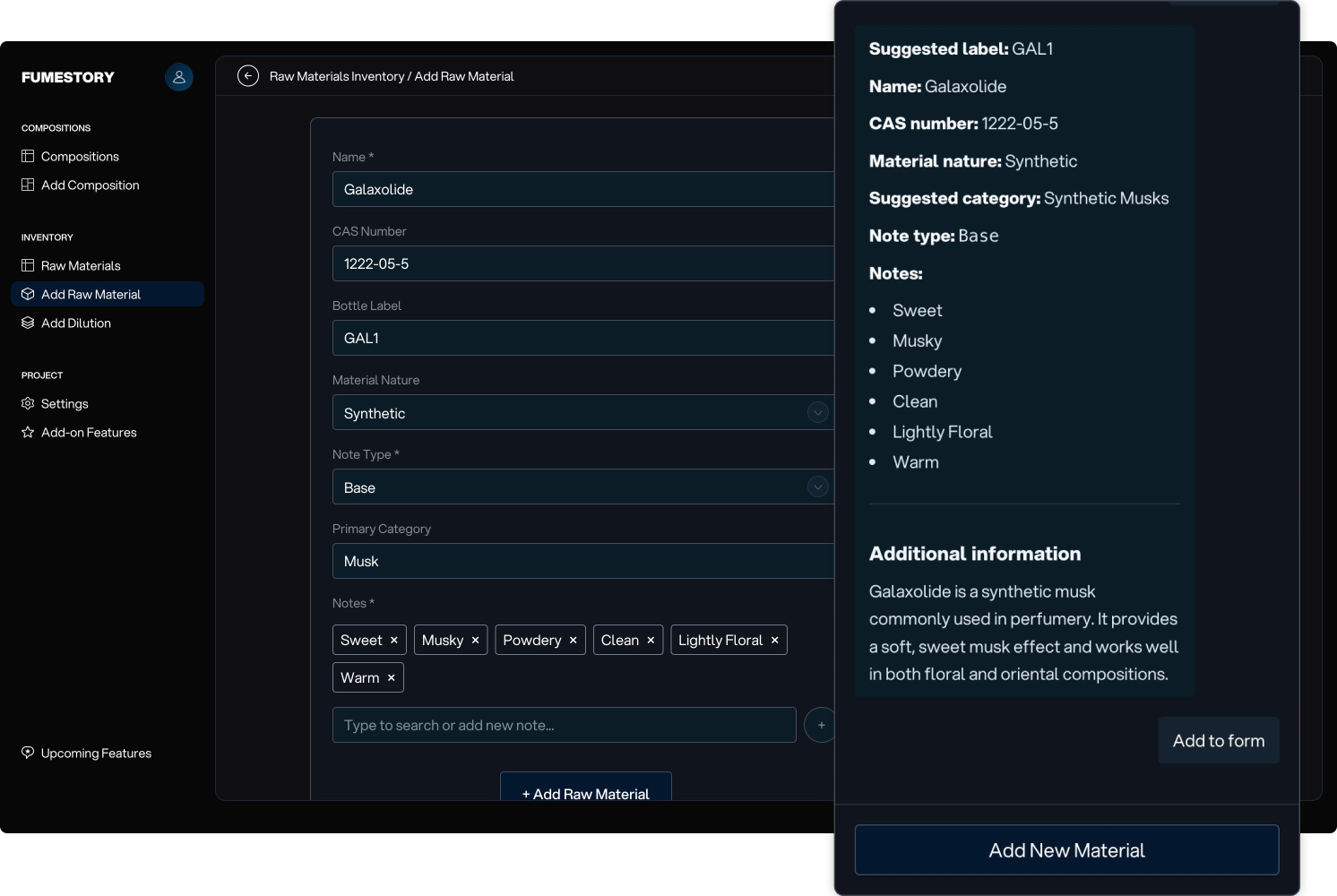
The Raw Materials Agent helps with data entry. It can identify which raw materials you already have to prevent duplicates. It fetches the data needed to autofill the raw material form.
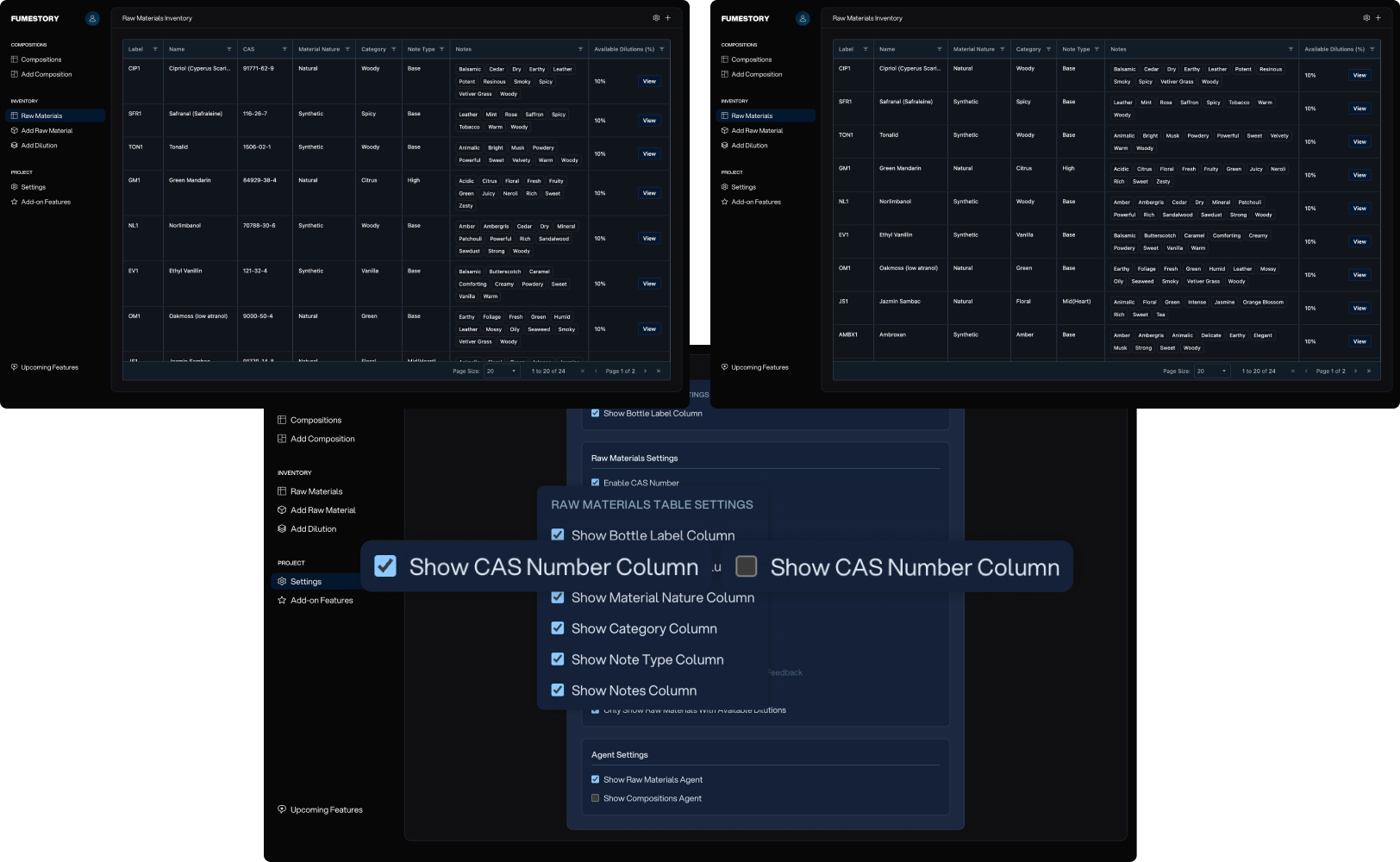
The Raw Materials Table provides an overview of all your raw material data, including the raw material name, bottle label, CAS number, material nature, category, note type, notes, and available dilutions.
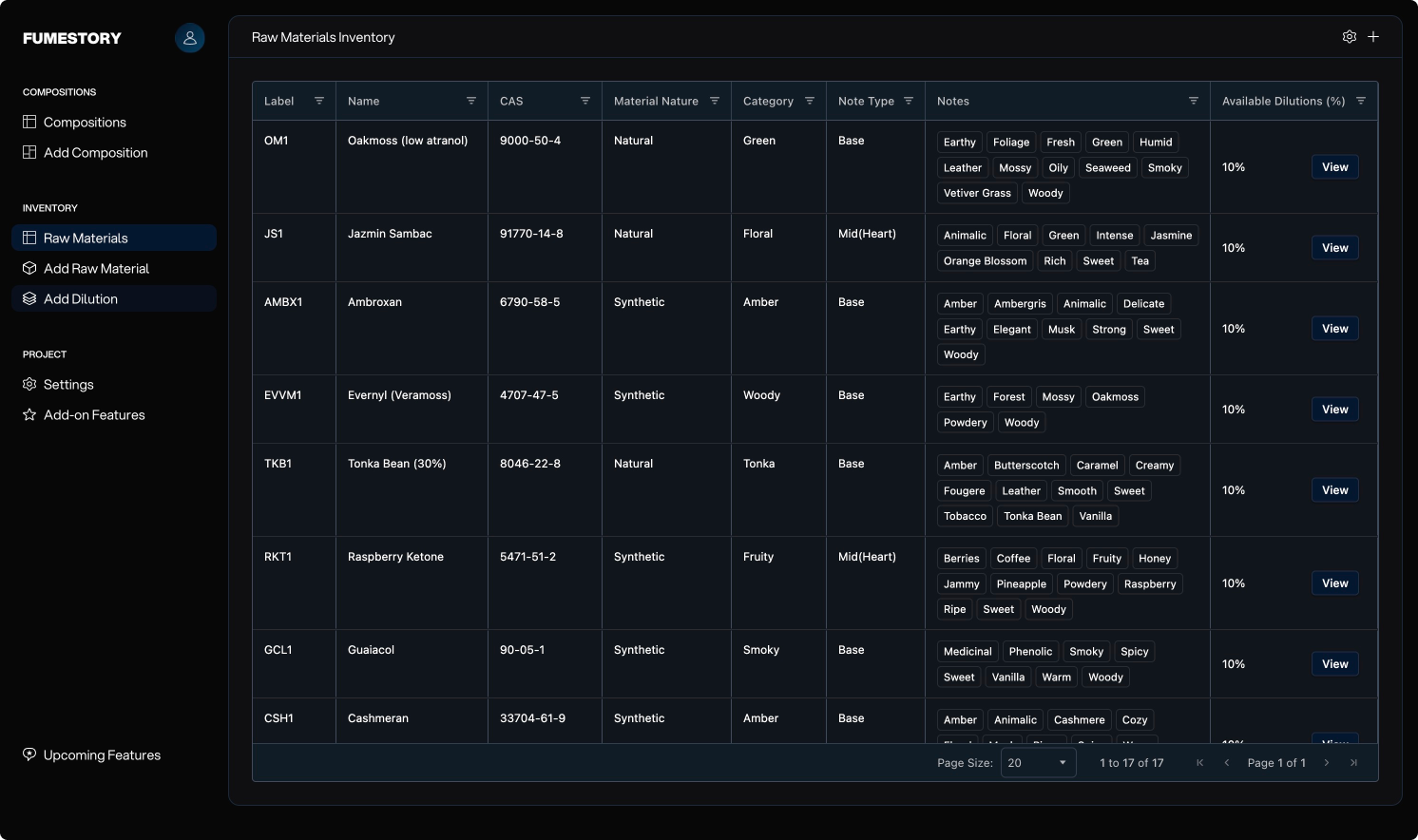
Enable CAS Numbers in Settings to store and display CAS numbers for your raw materials. CAS numbers can be added when creating a raw material and viewed in the Raw Materials Table. You can also search by CAS number using the Raw Materials Agent.
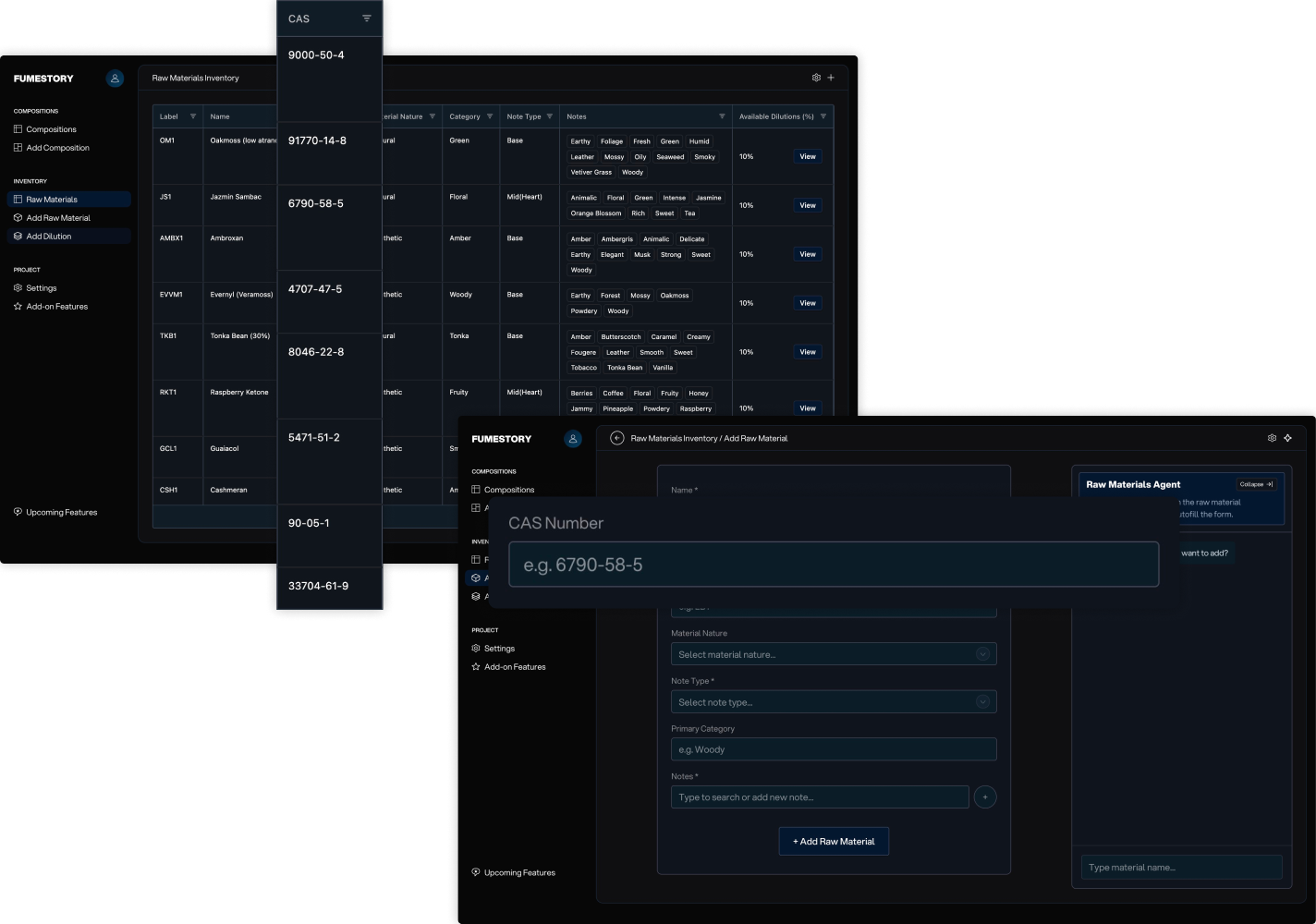
Enable Material Nature in Settings to label raw materials as natural or synthetic and filter them in the Raw Materials Table.
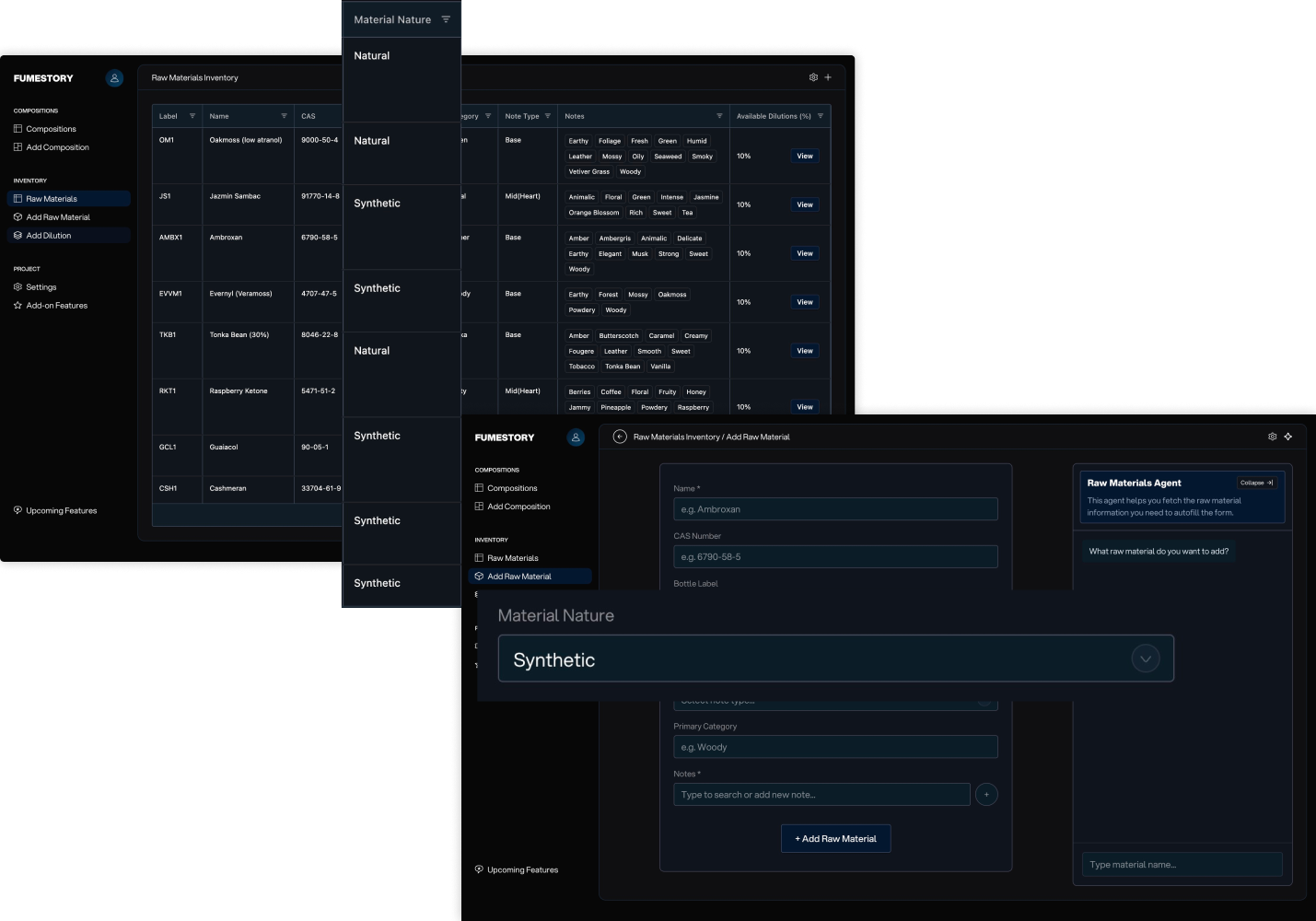
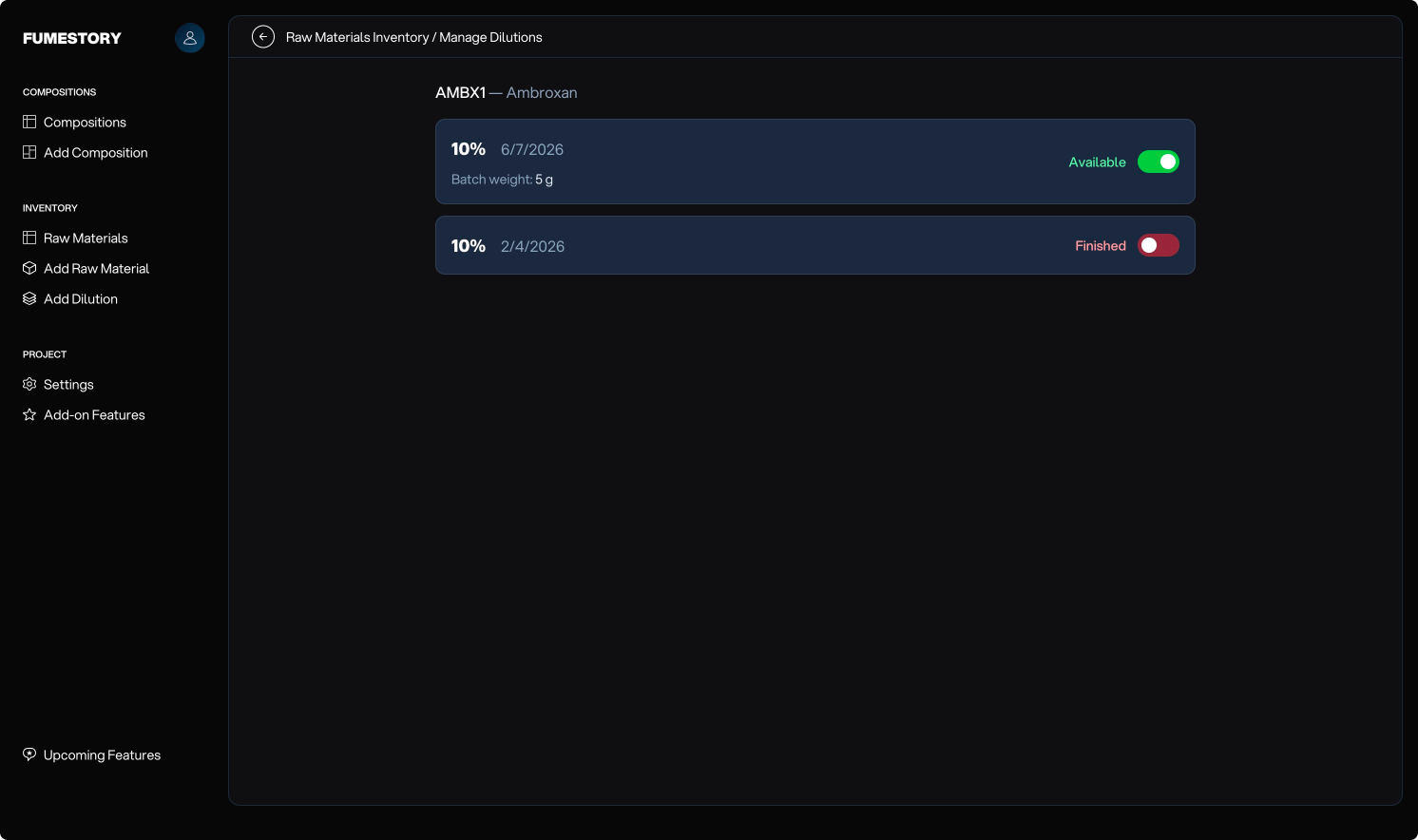
You can add a dilution by picking one of your available raw materials. This will add the date it was created, the percentage, and the weight of the batch so it can later be subtracted when adding a formula. You can also choose to hide raw materials with unavailable dilutions in the Raw Materials Table and mark dilutions as unavailable in the Raw Materials Details.
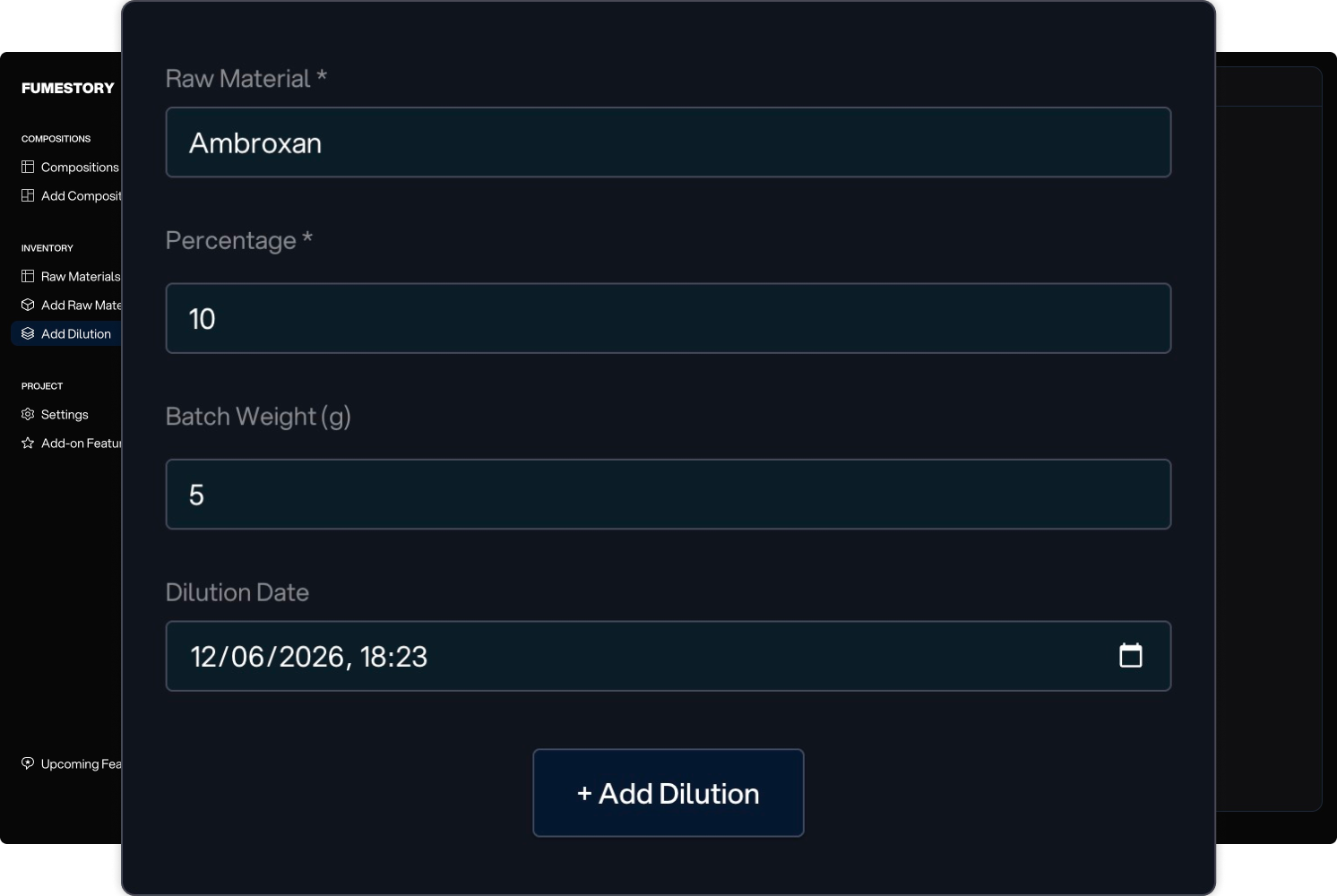
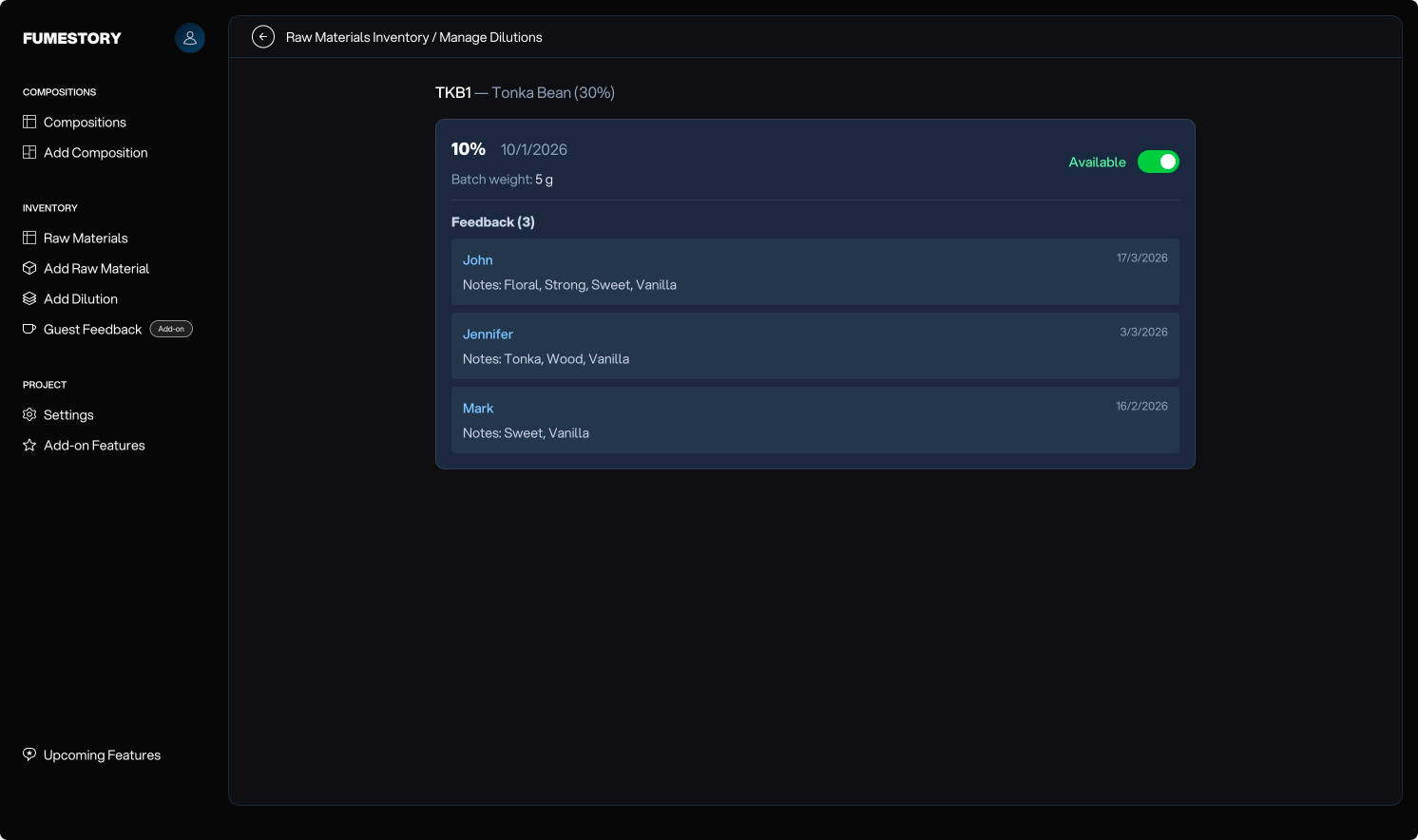
On the Raw Material Details page, you can view available dilutions and toggle their availability. If Guest Feedback is enabled, it will also be displayed here.
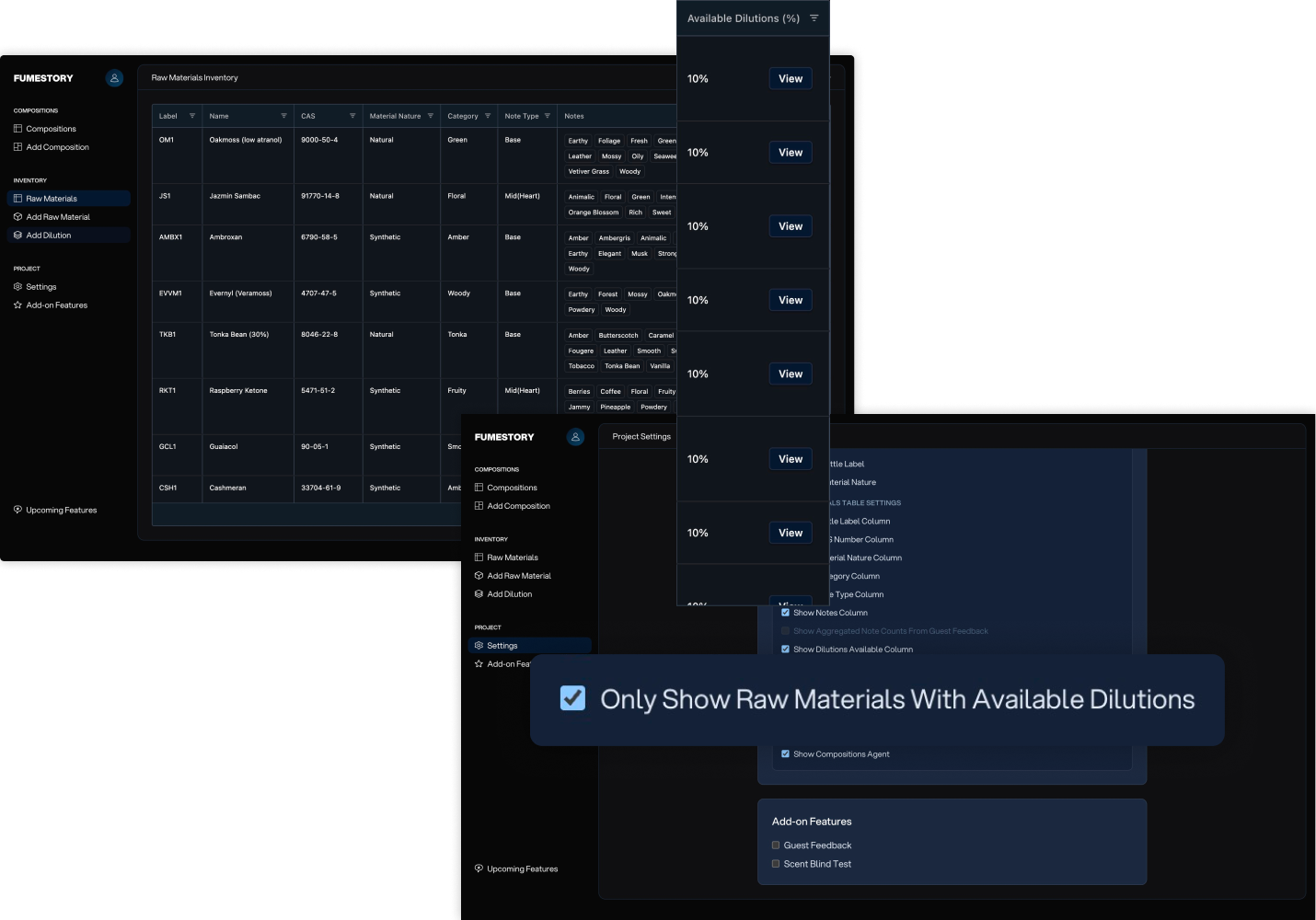
Hide raw materials without available dilutions to reduce clutter in the Raw Materials Table.
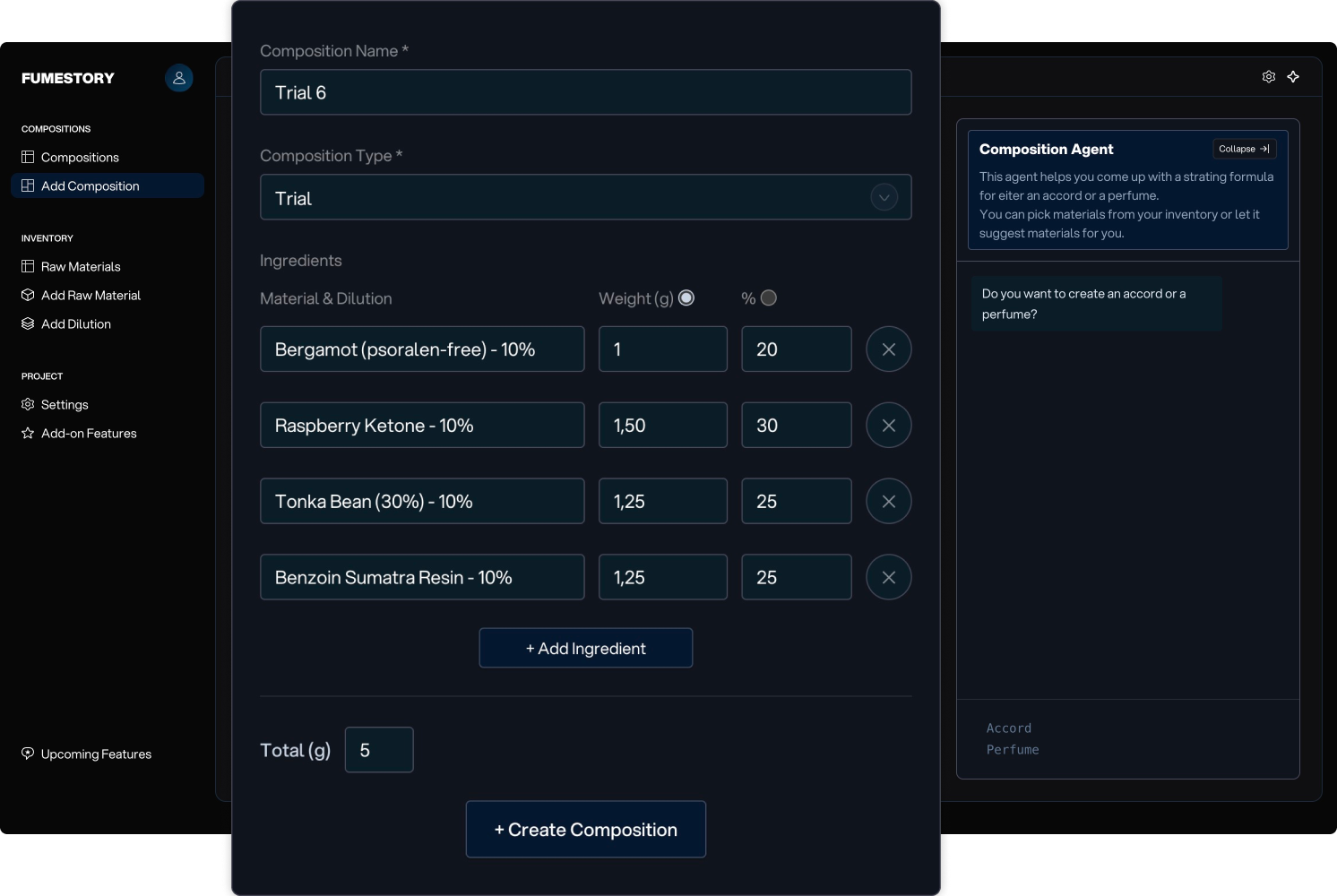
Once you have available dilutions, you can create a composition. A composition represents the idea you are developing and includes its first formula (mod). You can choose between Trial for quick tests, Accord, or Perfume. There is also the Compositions Agent to help you start off.
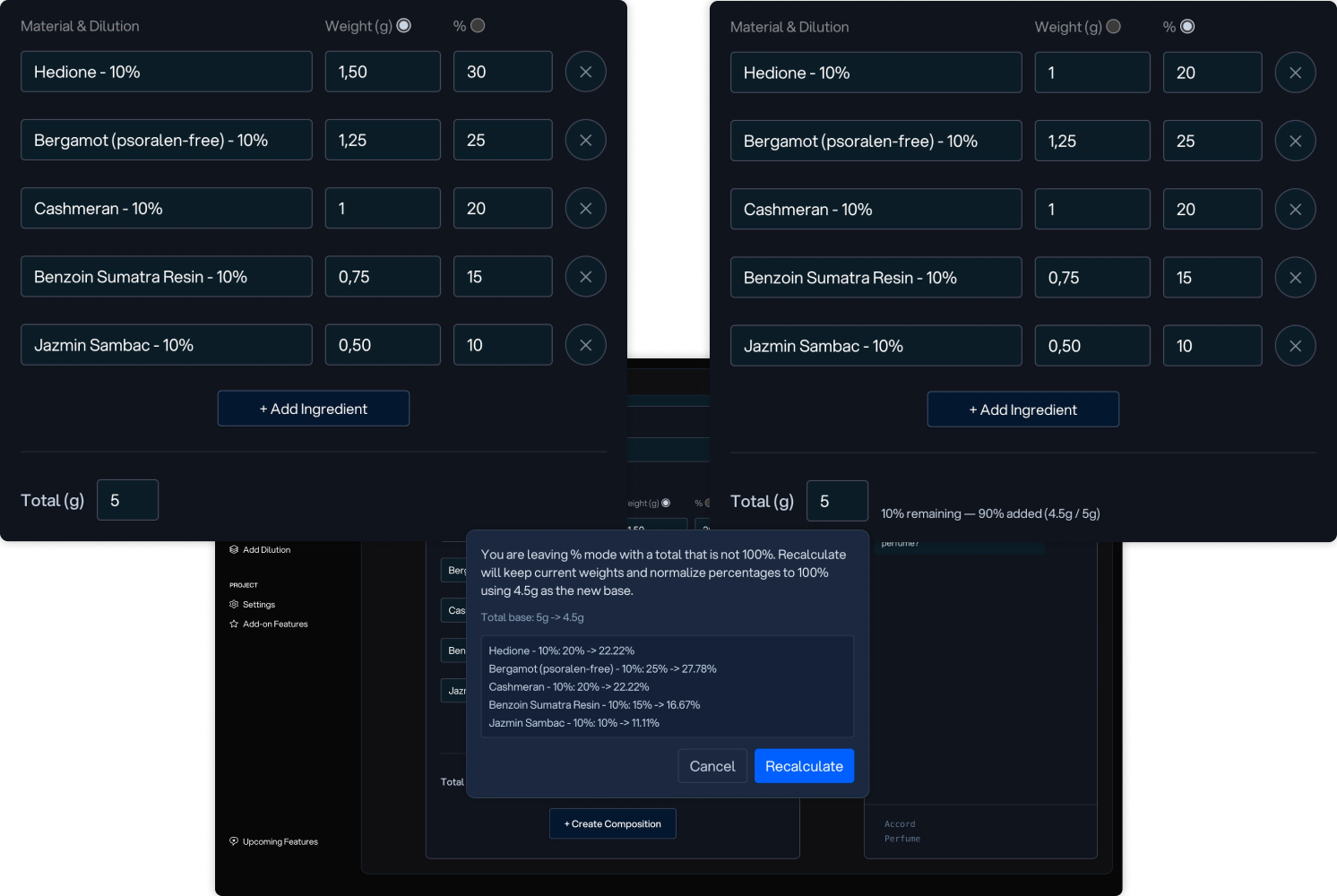
To make formula creation and modification easier, you can work in either Weight Mode or Percentage Mode.
Weight Mode: Enter the weight and percentage of a material, and the total weight is calculated automatically.
Percentage Mode: Ideal for modifying formulas. Edit percentages directly and receive warnings when the total is below or above 100%. When switching back to Weight Mode, you can choose to recalculate the formula while keeping the selected total weight.
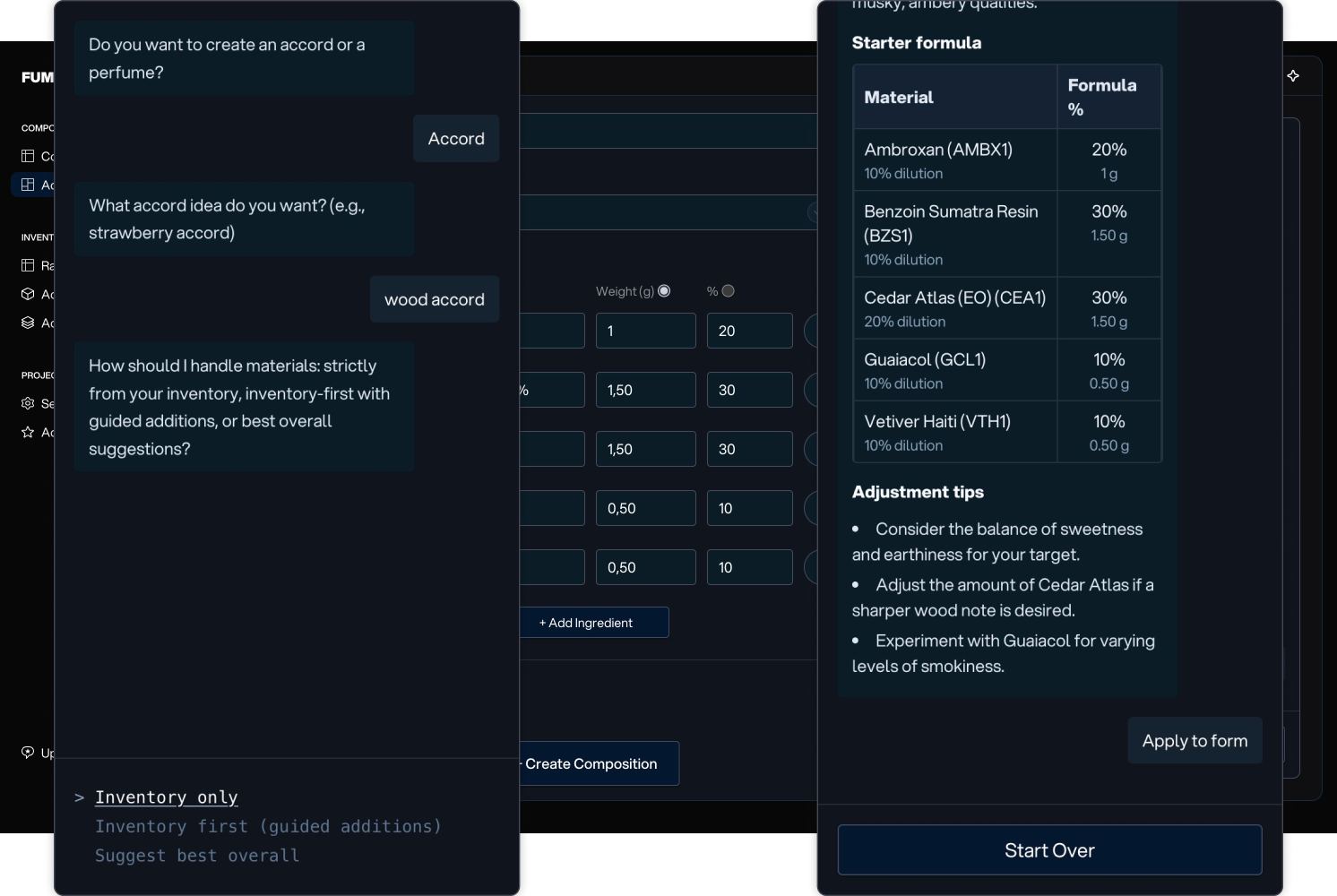
The Compositions Agent helps you create a starter formula. You can generate either an accord or a perfume. For perfumes, you can choose between creating a replica or an original concept.
The agent can work exclusively with materials in your inventory, prioritize your inventory while suggesting additional materials when beneficial, or ignore inventory constraints to generate the best possible formula.
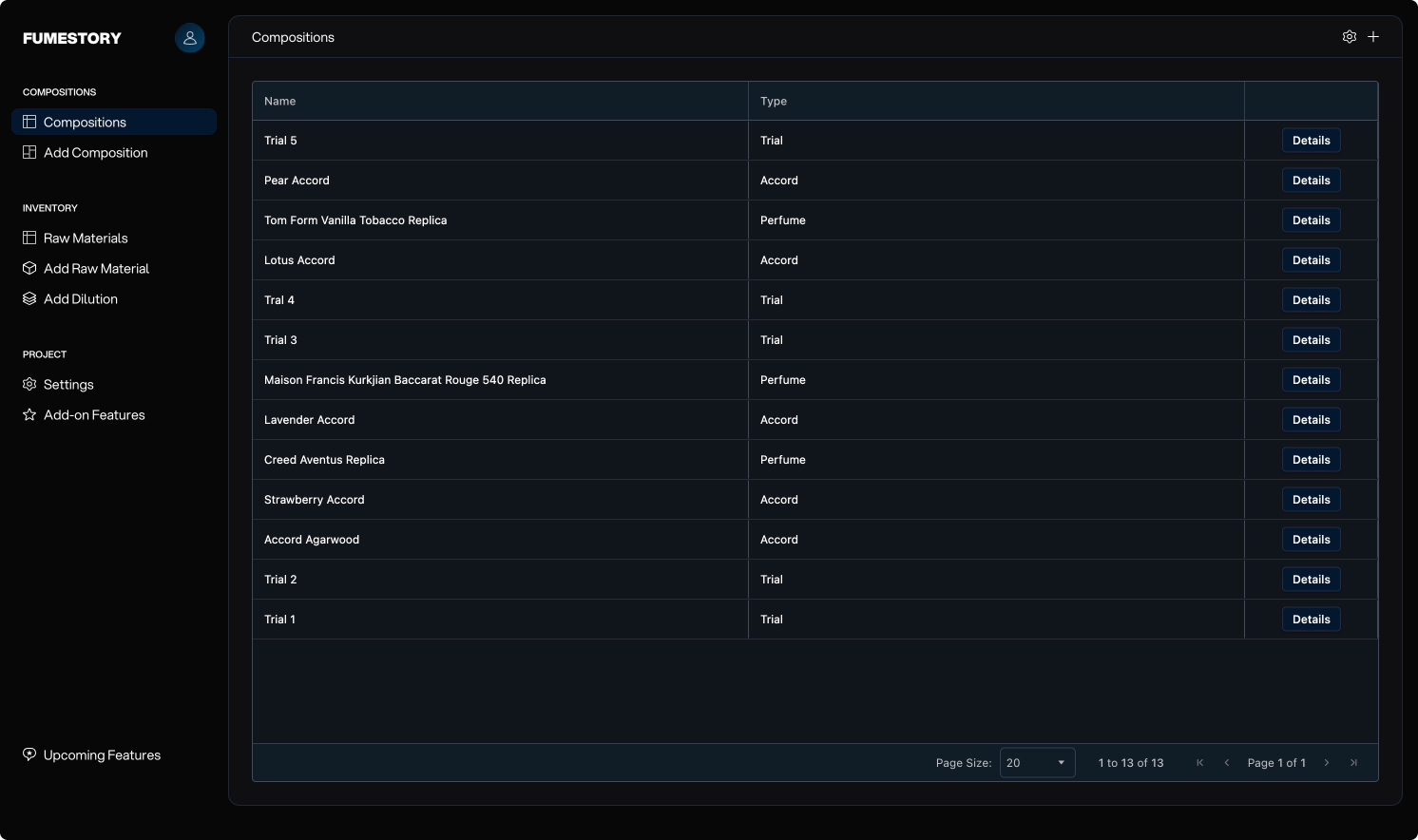
The Compositions Table provides an overview of all your trials, accords, and perfumes in one place.
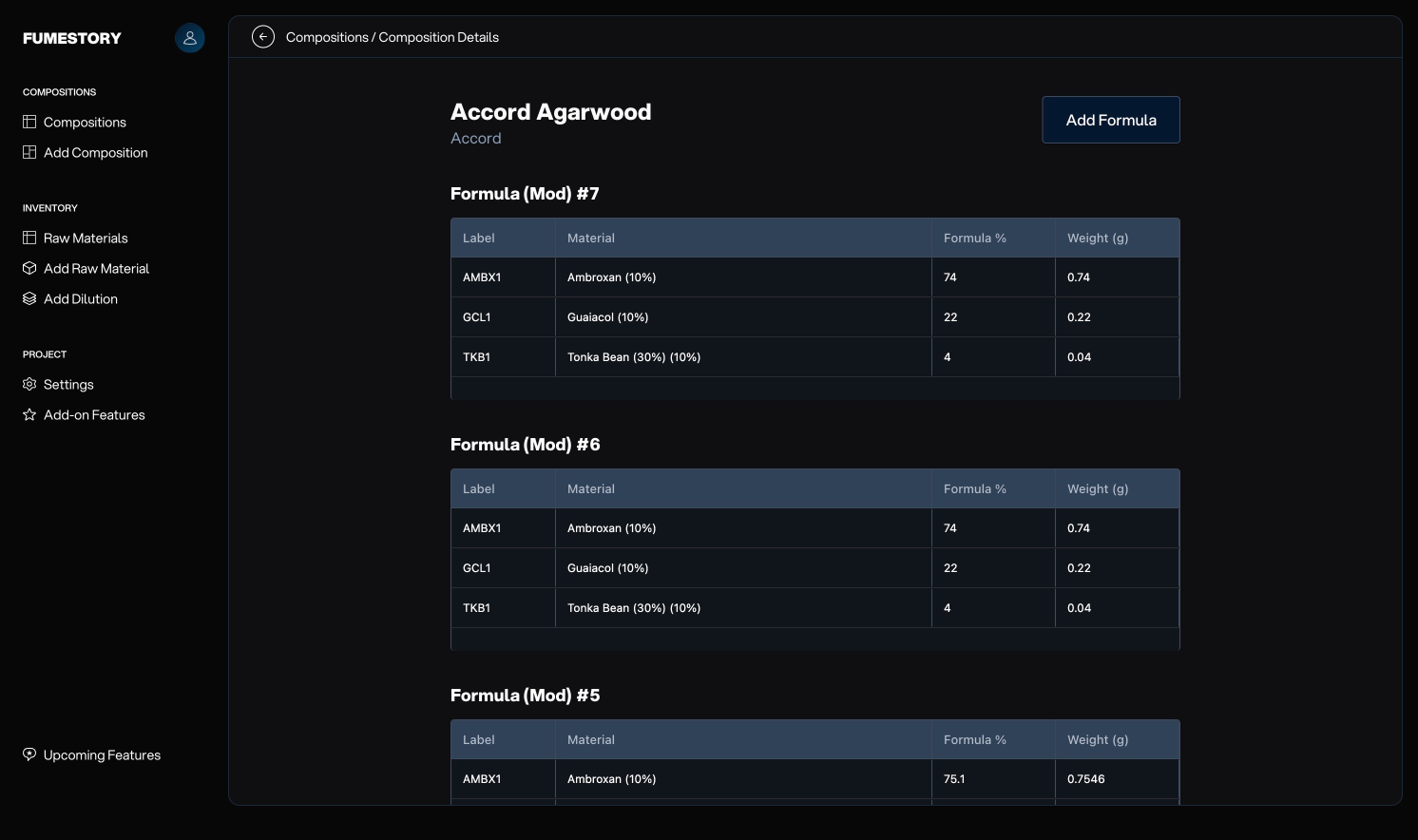
View all formula mod iterations for a composition and create new formula mods as you refine the composition.
You can add a new formula mod to the composition you are creating. This helps keep a track record of modifications and improvements made to the composition.
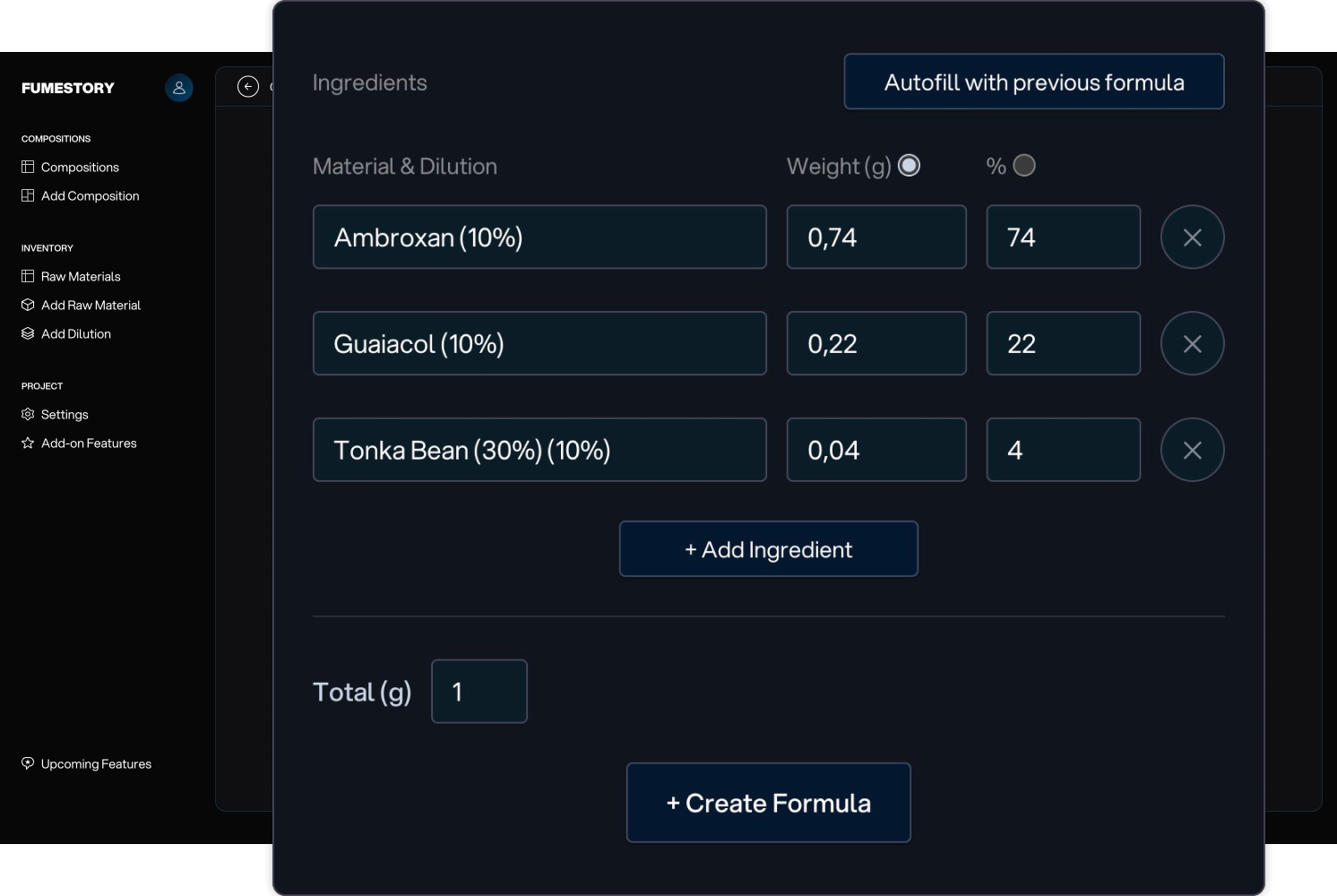
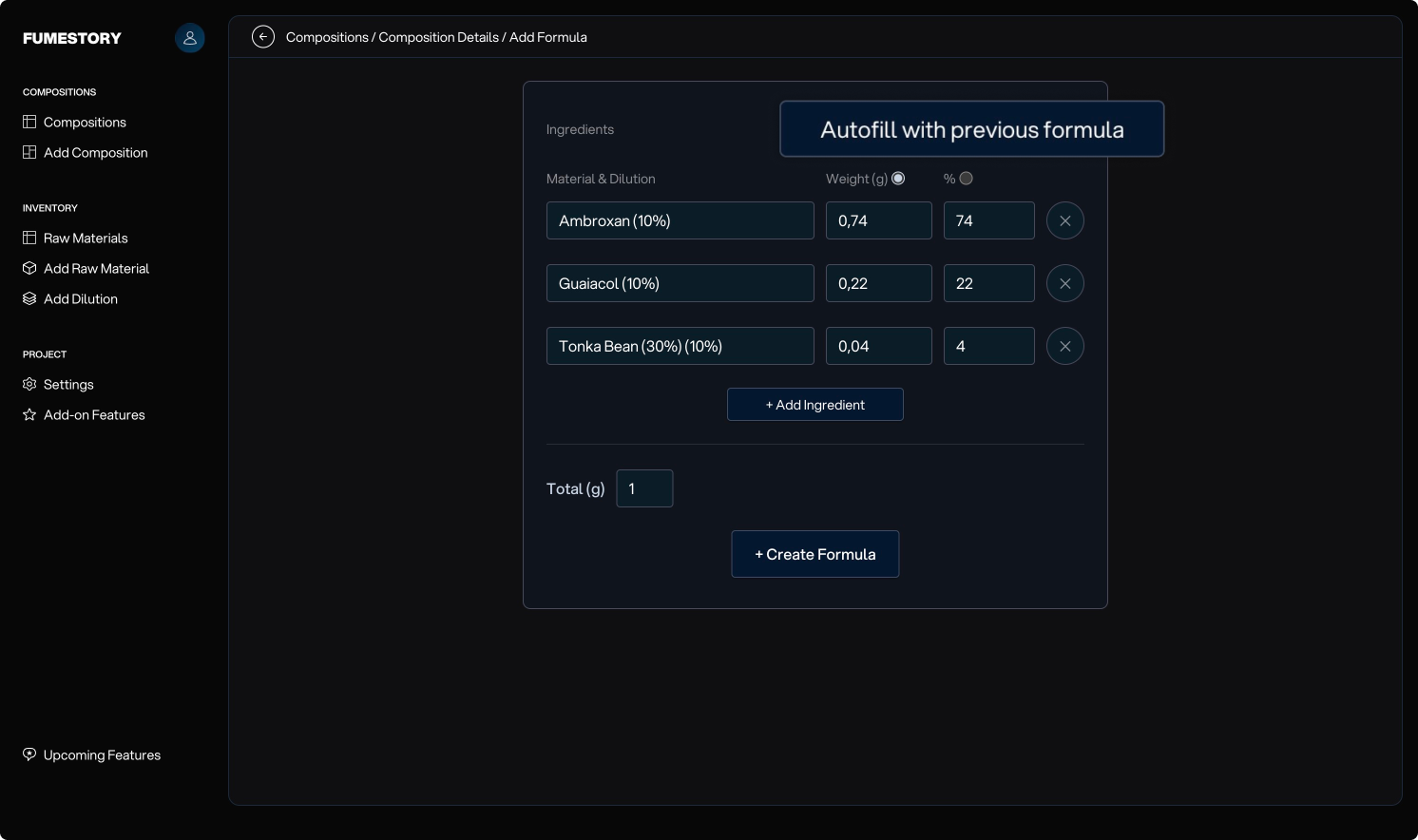
A common scenario is updating the last formula mod you created. This button quickly fills in the previous formula data so you can easily modify it.
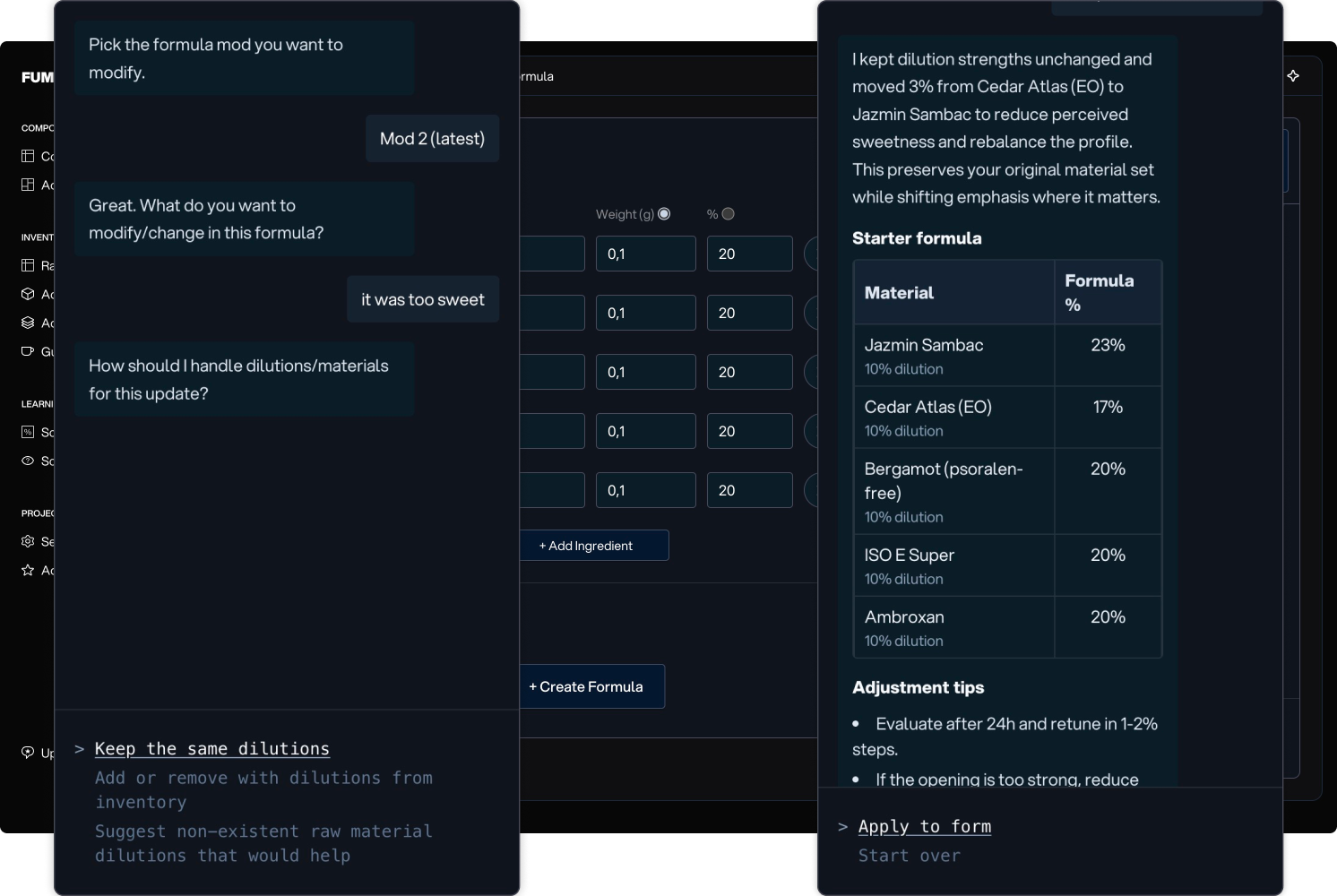
This agent helps you modify and improve the composition you are working on by suggesting updates. You can pick to update with the same ingredients or you can let it suggest adding/deleting new ones from your inventory, or ask it to add new raw materials not in your inventory.
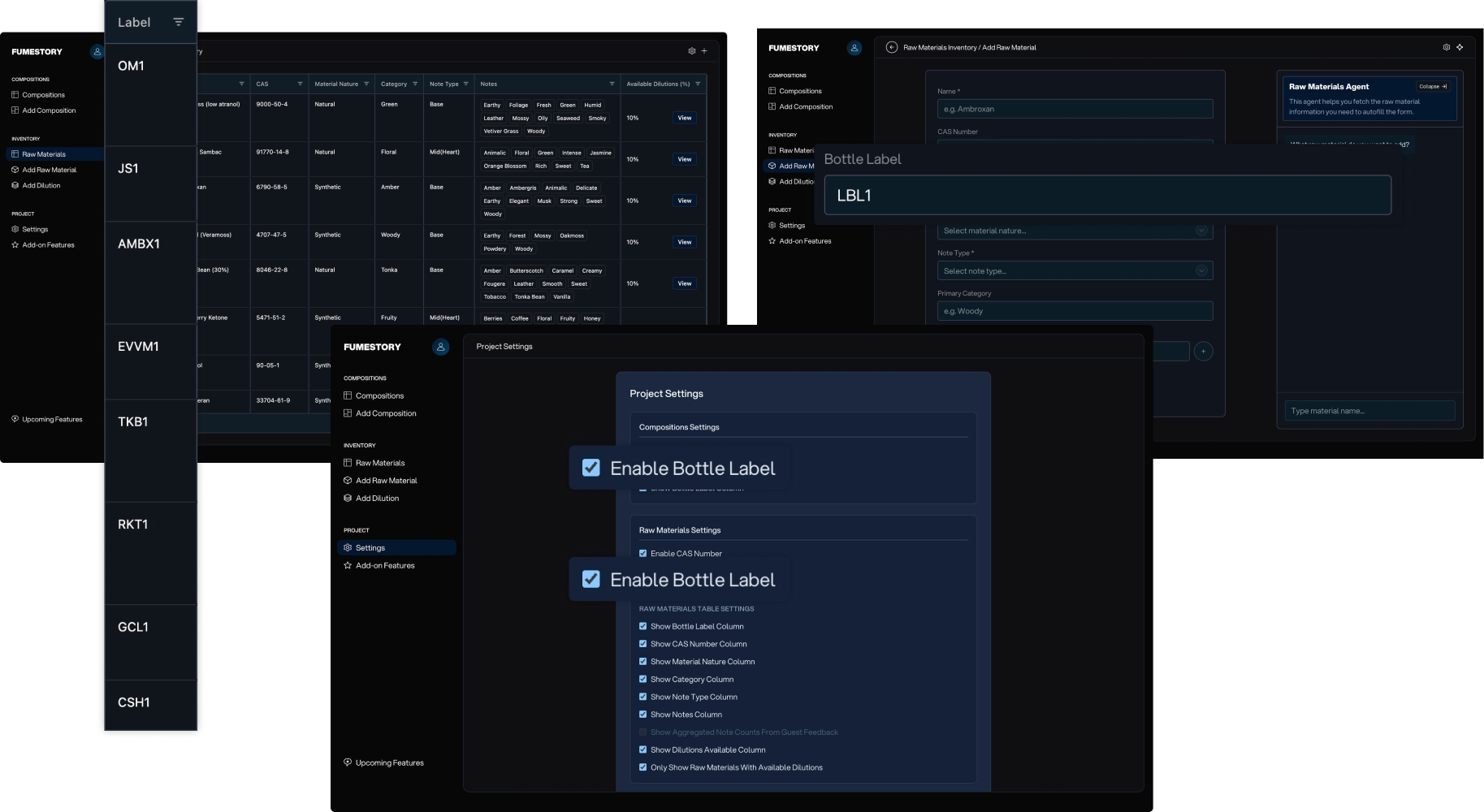
Adding full names to small bottles can be inconvenient. Enable Bottle Labels in Settings to create custom labels for your bottles. You can also see in the table which raw material or composition each label is linked to.
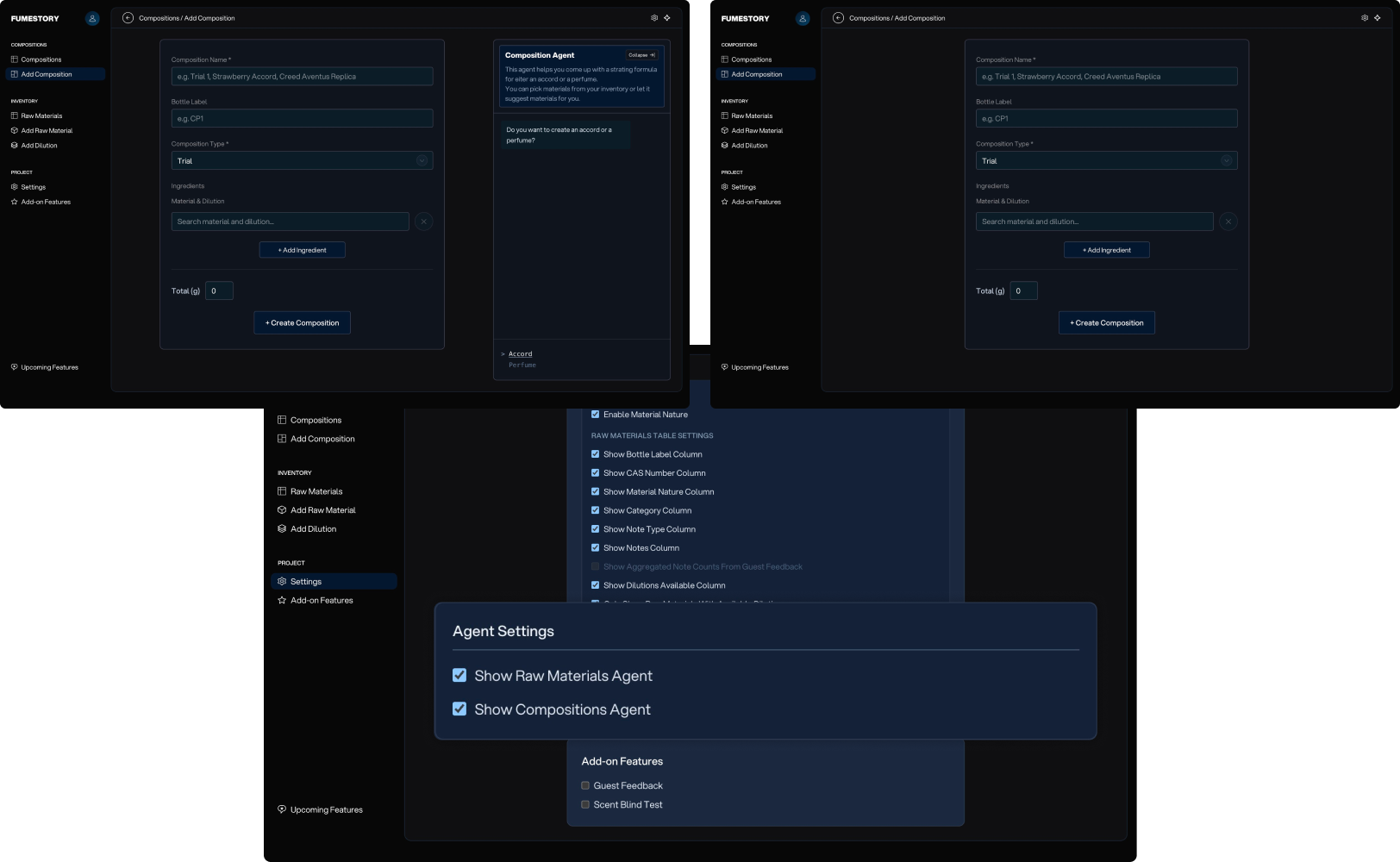
Some perfumers are not into the whole AI thing. That is perfectly understandable. For this reason, you can disable agents entirely. Your preference is saved, so they won’t appear again unless you reactivate them.
In Settings, you can choose which columns are visible in the Raw Materials Table and the Compositions Table.
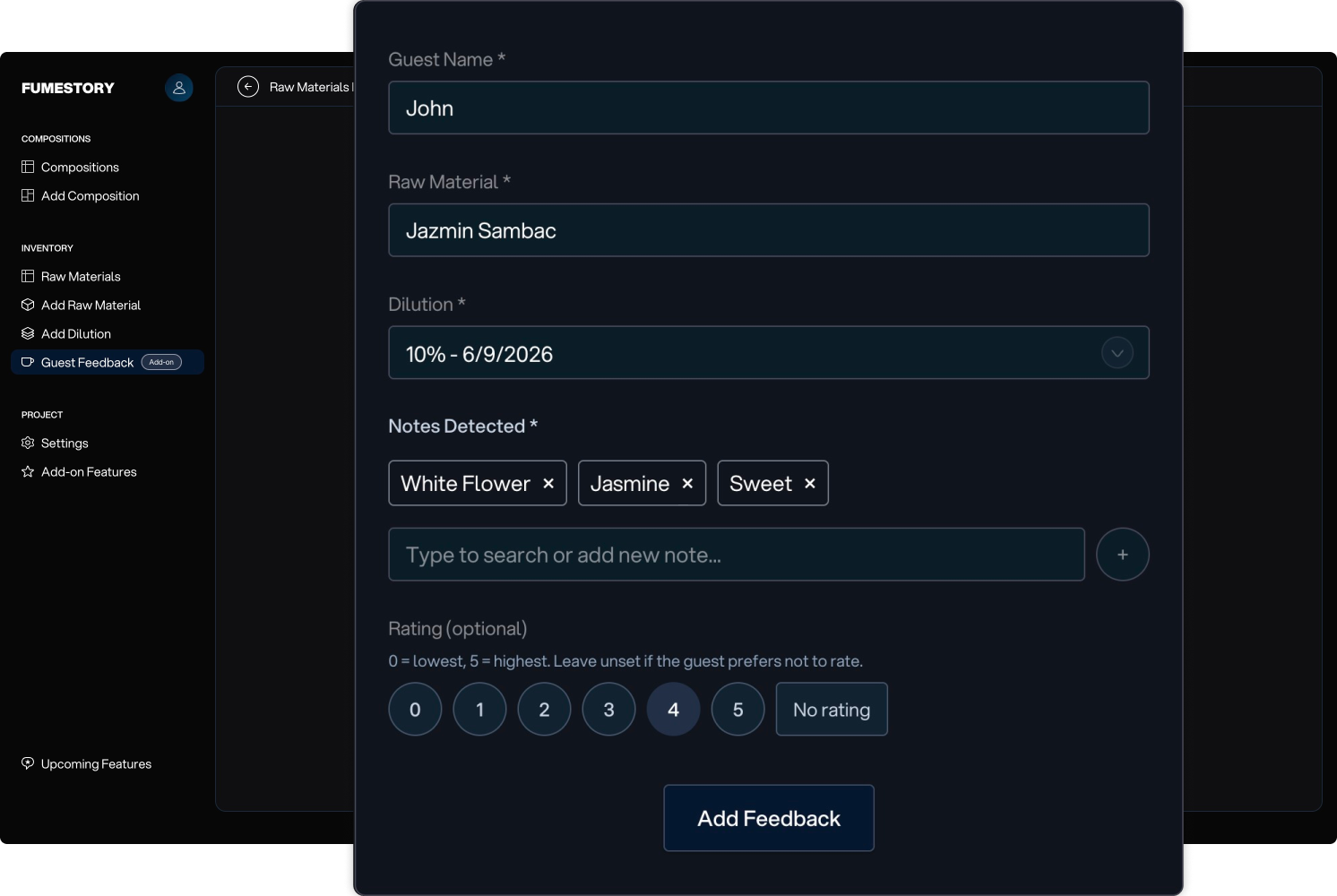
This add-on allows you to collect feedback from people close to you. Give visitors a scent strip without telling them what raw material it is, then ask which notes they perceive and how much they like it.
You can view Guest Feedback results on the Dilution Details page, including ratings and notes.
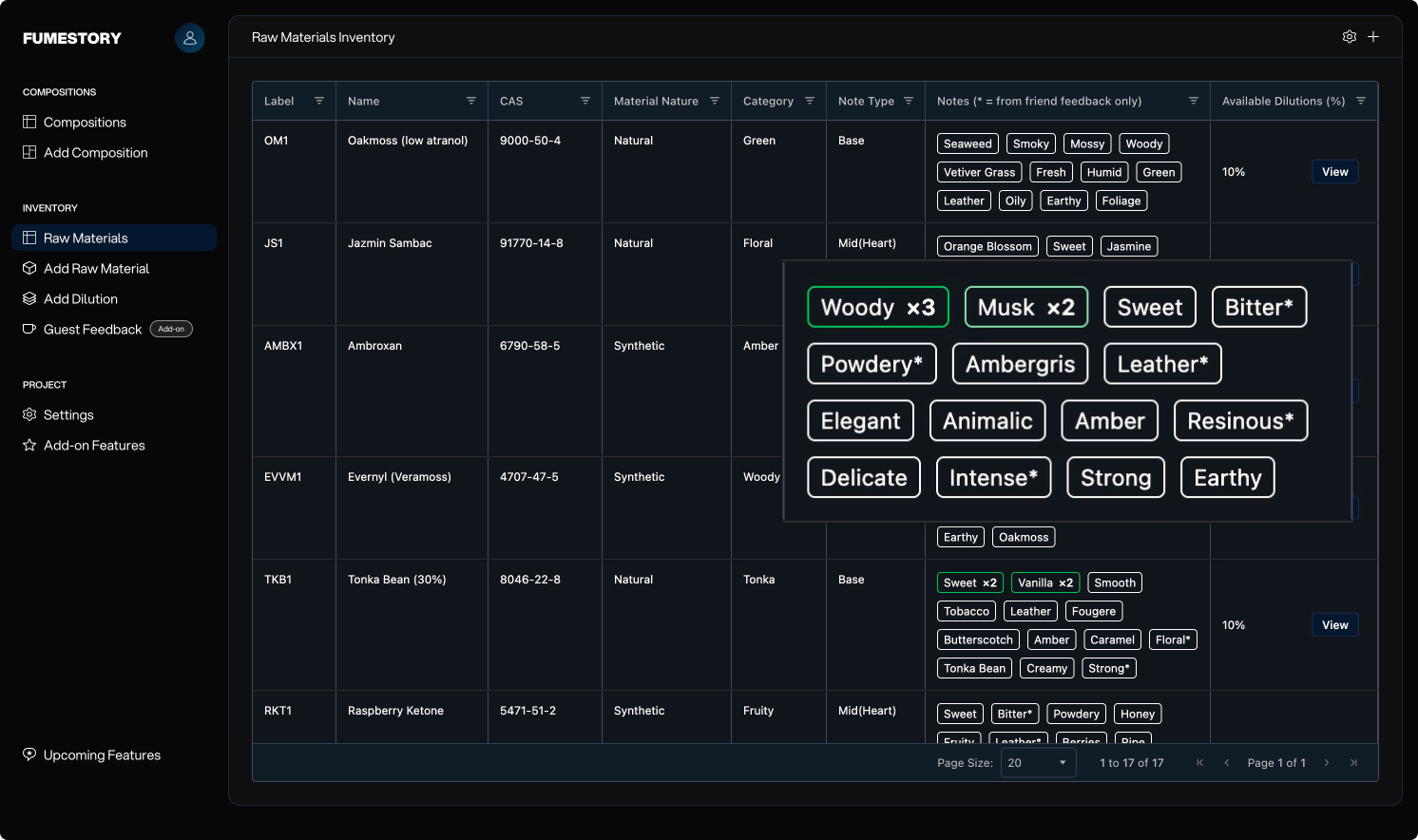
This feature allows you to stack the notes your guests picked up so you can have a better understanding of which notes are more promintent. You can activate this and view it on the raw materials table.
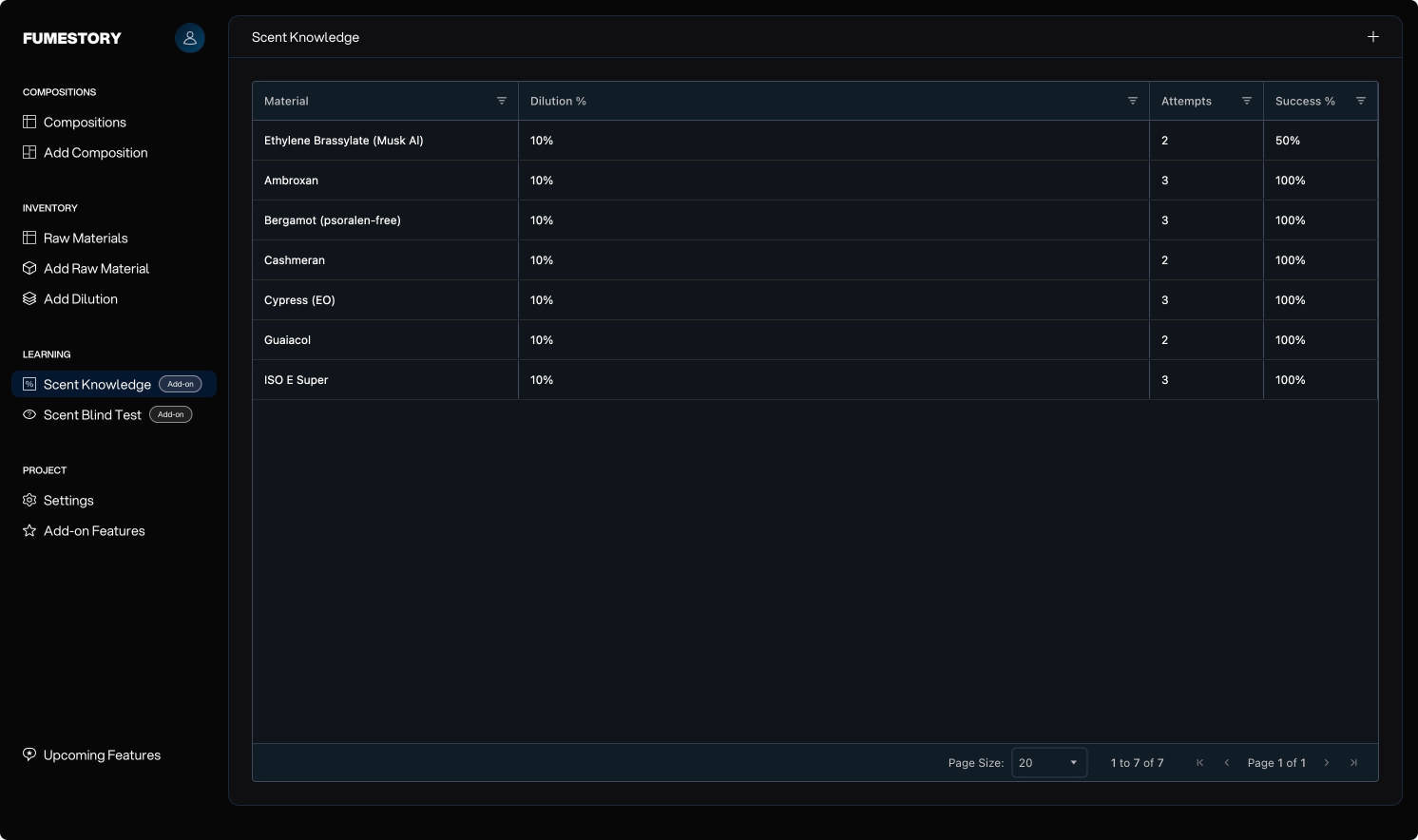
This add-on is built to train your nose. With a partner, choose which materials you want to include in the test. Your partner should hide the labels and hand you scent strips. You then record which ones you correctly identify and which ones you don’t.
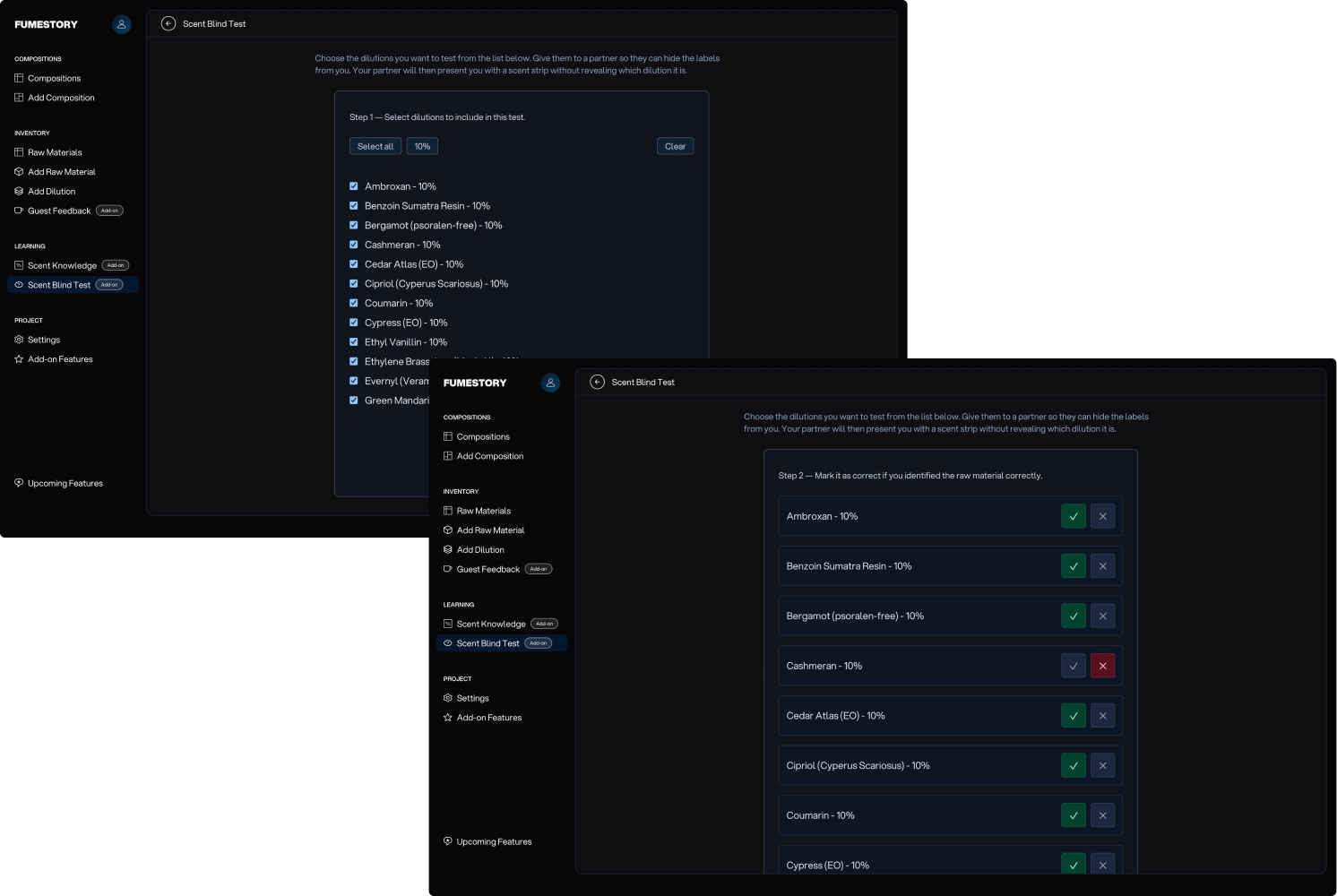
This table provides an overview of your scent test results and the number of tests performed for each raw material, helping you identify which materials you need to train more.